Build Your Own Interface
Getting value out of an AI is mostly context transfer: you hand it the constraints and context it can’t figure out on its own, add enough tokens and a few prayers, and value falls out. Or that’s the hope.
The problem is humans are not very good at sending context to AI. We’re impatient, so we send half-baked instructions and expect the model to fill in the gaps. Sometimes it does a good job; sometimes it totally misses the point.
There’s a little dance these days where the newer models ask you a few questions to anchor the response, but that’s about it. Too many questions and we get impatient, so the model spits out a large, complicated summary of the decisions it made on our behalf.
But why words at all? The savvier among us have switched to talking to the AI. Speech is higher-density, but that’s still ultimately constrained by words. Text is an inefficient interface to begin with, and it’s made worse by the fact that AI is notoriously bad at communicating with words; honestly, if you delve into it (heh), it’s gotten worse.
Pro tip: If you’re coding with Claude and can’t stand its language, ask it to always use the Google developer documentation style guide when it talks to you. It dramatically improves readability.
The models are also getting better at this. Claude ditched sentences for a little monospace sketch recently when I asked for a UI change.
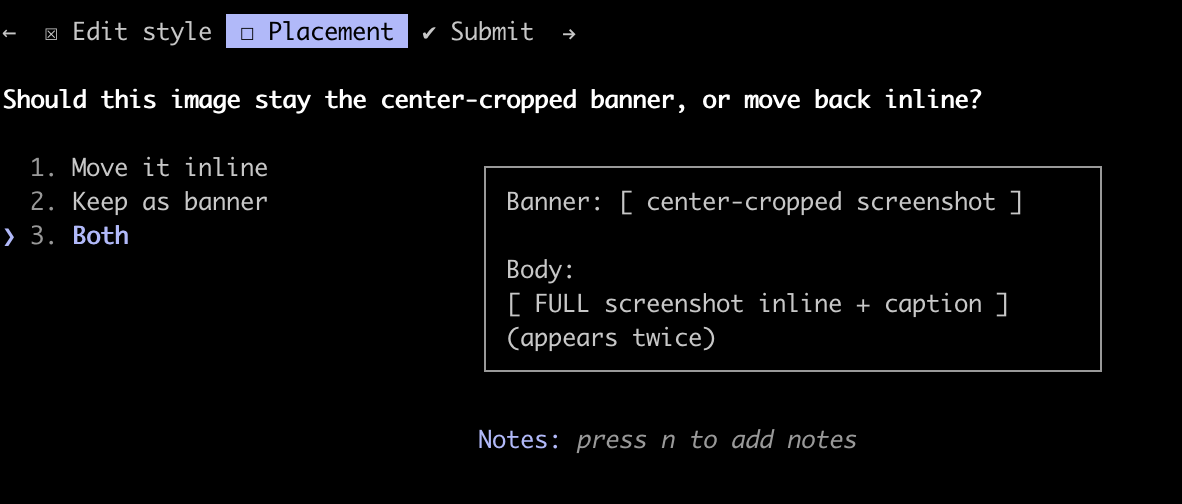
Claude laying out the options as a monospace sketch instead of a paragraph.
The spec that ate itself
I’ve been trying spec-driven development: using LLMs to write a detailed spec and understand the boundaries of a system before building it. The spec itself grew, and within a couple of hours we had fifty pages. I built sidebars and sections for easier navigation, but describing changes (“the third paragraph under the section about X, change the framing”) was getting annoying.
But code is free! We can build custom interfaces for communicating with the AI.
What worked: pulling the spec up in a browser, highlighting text, commenting inline. The comments fed into a task system the agent was watching, so it picked them up and worked while I kept reviewing. Highlight, comment, move on.
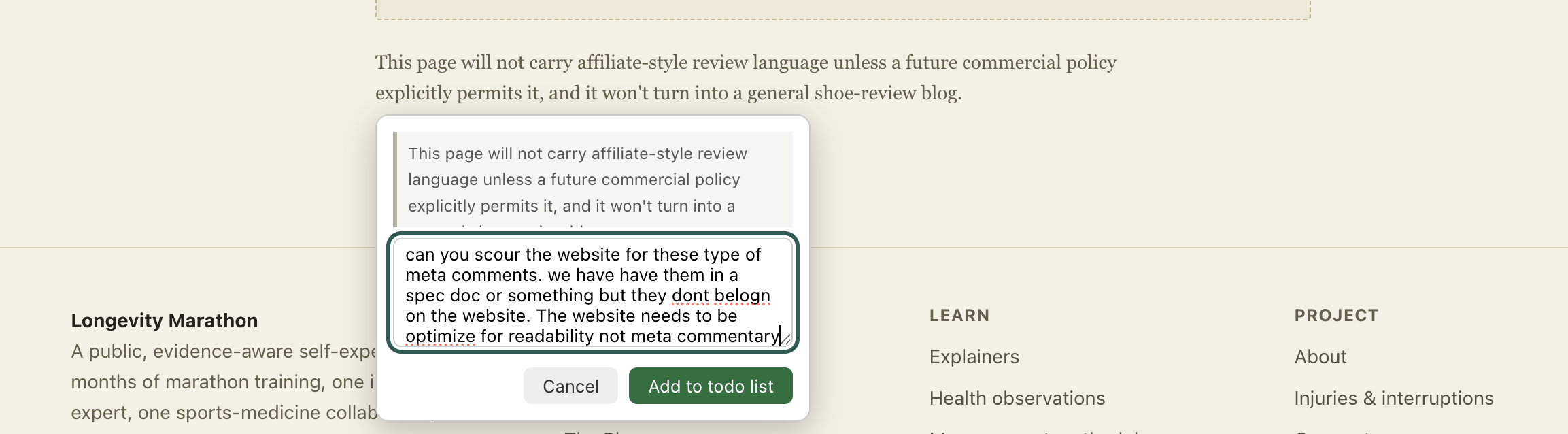
Highlighting a paragraph on my own site and dropping an inline comment. The comment goes straight to a todo list the agent watches.
That’s when it clicked: text is a flexible interface, but it is a very inefficient one.
Disposable interfaces
Since then I’ve built a Kanban board with custom fields for one specific project. The agent posts tasks and progress, I drop comments, and instead of scrolling a chat log I’m looking at a living picture of the work. Sometimes I maintain dashboards, a chart, an annotated document, even throw away interfaces that explain a spec. The right interface depends on what you’re optimizing for and what you need clarity on right now. It doesn’t have to be visual, either: a friend of mine has the AI read him a voice summary, generated with a different prompt from the text summary it writes out.
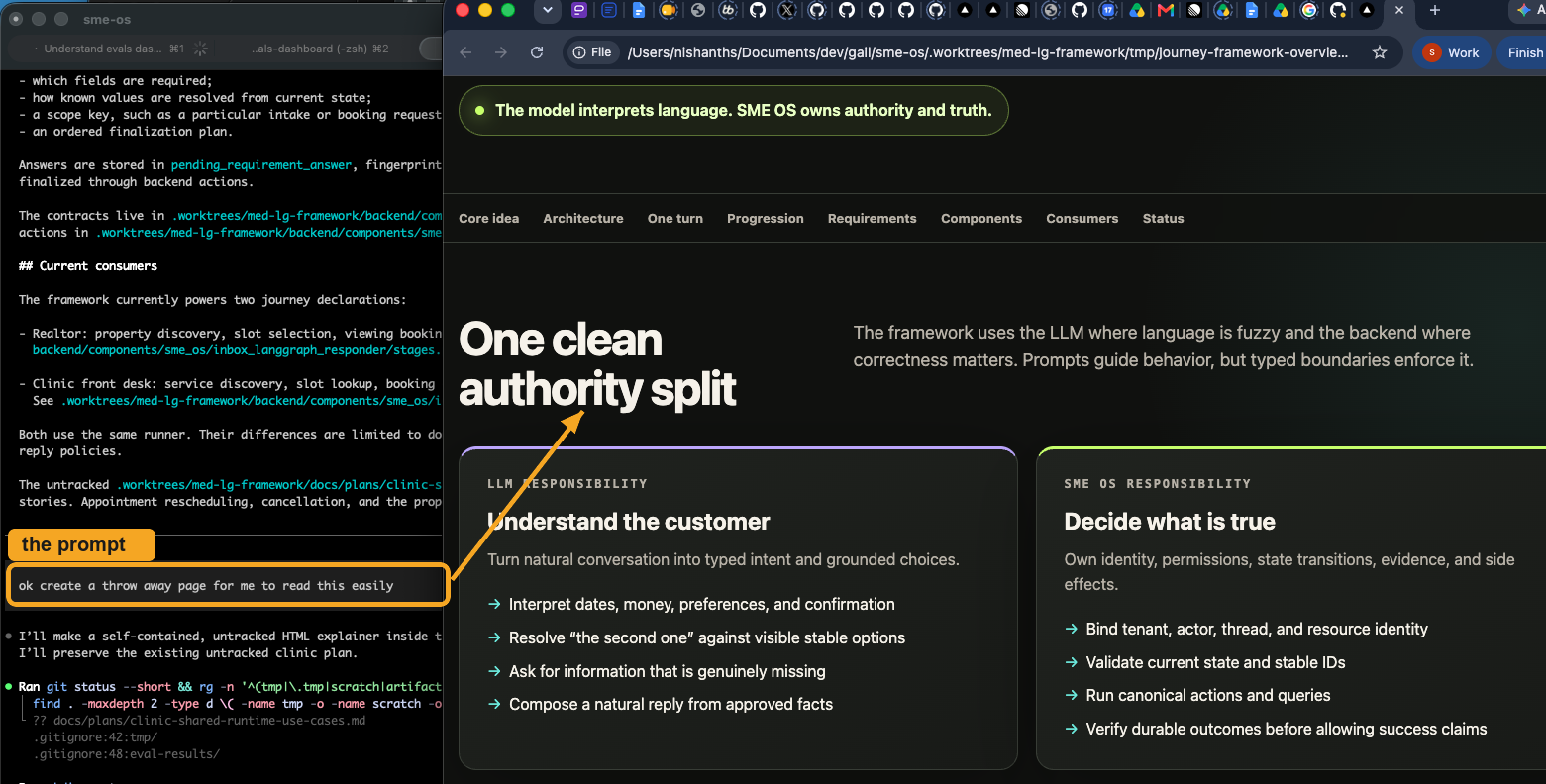
My one-line prompt on the left, and the throwaway explainer the agent generated on the right.
The unlock is that these are cheap now. AI makes it easy to spin up a review dashboard on the fly. So you build one for this project, maybe just this session, use it, and throw it away. It doesn’t need to be a product. It needs to exist for an afternoon.
Custom tools for custom work
You don’t want to know everything the AI could tell you. You want the important bits, transformed into something indicative, in the form that lets you make the next decision, and you want an interface that communicates that decision back as efficiently as possible.
Chat is general-purpose, and general-purpose is precisely wrong when the whole problem is what should I be paying attention to?
Why not build an entire app for it?
Practical implementation for beginners
This is most useful for heavy, long-running tasks where you expect many iterations with the AI.
- Think about the best interface for telling the AI what to do. Claude.md isn’t your only tool. You can comment on top of your own website and throw the feature away later. You can generate density maps of the text you’re writing, or word clouds. Ask yourself: what would tell me the AI is off track, and how do I want that communicated?
- Ask Claude to build it, as a website, or on top of your existing interface. It has to take inputs from you and write them to a todo list.
- Start a loop that reads off the todo list and implements items using background workers.
Mind the drift
We are creating layers upon layers of interpretation here, and there is a loss with each translation. Interfaces drift: your agent might not remember to update the dashboard, so it needs regular pruning to stay true to the task at hand. Remember not to get too attached to your todo list. Throw it away when it’s no longer useful!